Get help from the Linq team
Send the Linq team a support request from the app, with screenshots, get an email when we reply, and mark it solved. Or find answers in the help center.
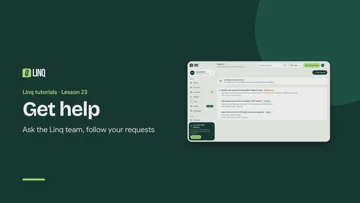 Watch the video: Get help 0:57 · Lesson 23 of the tutorials · English, French and Arabic
When something isn’t working, or you have a question, send us a support request from the app. We answer there and email you when we do. Because you’re signed in, we can see your plan and your team, so you don’t have to explain your setup.
Send a request
- Open Support from the menu (on your phone, it’s under More).
- Select New request.
- Pick a Topic: Account and sign-in, Billing and plans, My card, Contacts and scanning, Teams, Something’s broken, Idea or request or Something else.
- If it’s about one of your teams, pick it under Team.
- Write a short Subject, such as My QR code doesn’t scan, then what’s happening: what you were trying to do, what you expected and what happened instead.
- Add screenshots if they help: up to 4 per message, PNG, JPEG, WebP or GIF, up to 8 MB each. You can also paste a screenshot straight into the message box.
- Select Send request.
When we reply
Each request shows whose turn it is:
| Status | What it means |
|---|---|
| Waiting for Linq | We have your message and will reply. |
| Waiting for you | We’ve answered, and may need something from you. |
| Resolved | It’s sorted. |
| Closed | It’s done. To carry on, open a new request. |
We email you when we reply, with our answer and a link to the request. Reply in the app rather than to the email, so the whole conversation stays together. The Support item in the menu shows how many requests have a reply you haven’t read, and Support lists them with the latest conversation first.
Mark it solved
When your problem is fixed, open the request and select It’s solved. If something’s still not right later, reply and it opens again.
A resolved request that nobody writes on for 14 days is closed. After that it can’t be reopened: open a new one if you still need help.
How many requests you can have
You can have up to 10 requests waiting at once (Waiting for Linq or Waiting for you). If you reach that, add to one of those, or mark one as solved.
Your privacy
Only you see your requests. Our team’s internal notes stay with us, and deleting your account deletes your requests and their screenshots too.
Other ways to get help
- The help center. These pages cover setting up your card, sharing it, contacts, teams and billing. Start with Troubleshooting and the FAQ.
- Can’t sign in, or don’t have an account? Support requests need you to be signed in. Contact us instead, or email hello@linq-business.com.
Last updated
Need more help?
Check the FAQ or troubleshooting, or contact us.