Scan and add contacts
Add someone you met to Linq in seconds: scan their Linq card, vCard or contact QR code with your camera, or type their details. Send them yours too.
Not everyone you meet will fill in the form on your card. When you meet someone, add them to your Contacts yourself, while you’re still talking.
Scan their QR code
- Open Contacts and select Scan (or the scan icon next to Latest contacts on Home).
- Allow Linq to use your camera the first time you’re asked.
- Point your camera at their QR code. Linq reads it as soon as it’s in view.
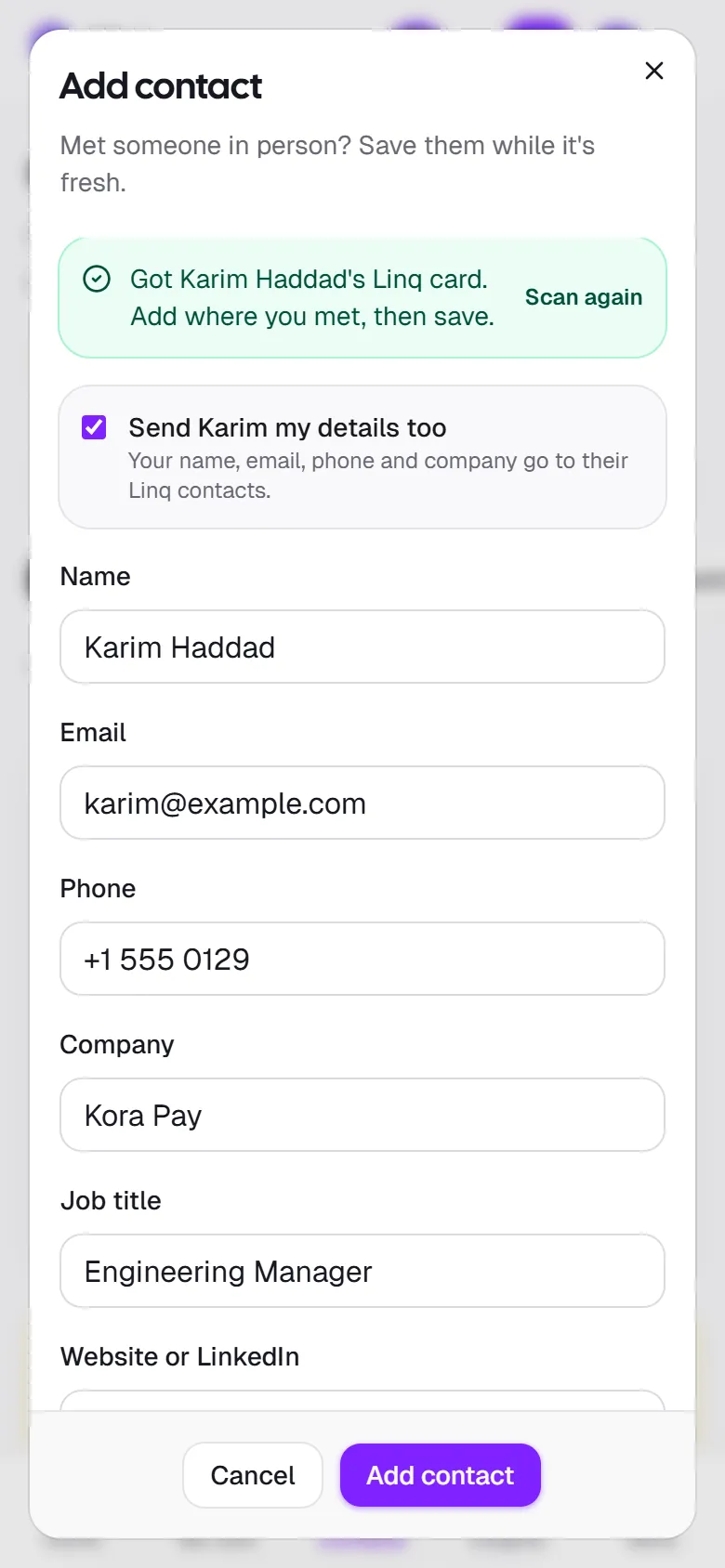
- Check the details, add where you met, tags or a reminder, and select Add contact.
Linq understands these QR codes:
| QR code | What gets filled in |
|---|---|
| Someone’s Linq card | Everything on their card: name, job title, company, email, phone and website. |
| A vCard or MeCard, the contact QR codes most card apps and phones create | Name, company, job title, email, phone and website. |
| An email address or phone number | That email or number. |
| Any other link, such as a LinkedIn profile or a card from another app | The link goes in Website or LinkedIn; you add their name and how to reach them. |
If a code doesn’t hold contact details (a Wi-Fi code, for example), Linq tells you and you can scan again.
No camera, or the camera is blocked?
Select Choose a photo and pick a photo or screenshot of the QR code instead. If you blocked camera access by mistake, allow it again in your browser’s site settings.
Exchange details with another Linq user
When you scan someone’s Linq card, a box such as Send Karim my details too appears, ticked. When you add the contact, your name, email, phone, company and job title go to their Linq contacts as well, so you both have each other in one step. Untick it if you’d rather not.
Your card needs to be live, with an email or a phone number, for this option to appear.
Type their details
Select Add contact and fill in their name and an email or a phone number. Company, job title and website or LinkedIn are optional.
Already in your contacts?
If the person you’re adding has the same email, phone number or name as one of your contacts, Linq says so before you save. Select Open to update the existing contact instead of creating a duplicate.
How added contacts are counted
Contacts you add or scan are marked Added by you or Scanned. They start as New so you remember to follow up, but they don’t add to the new-contacts badge, and they aren’t counted in Insights, which measure what your card brings in on its own. They do count toward Where you meet people.
Last updated
Need more help?
Check the FAQ or troubleshooting, or contact us.