Digital business cards, explained

A digital business card is a web page with your name, photo, role and contact details. You share it with a link or a QR code, people save you in one tap, and with Linq they can send their details back.

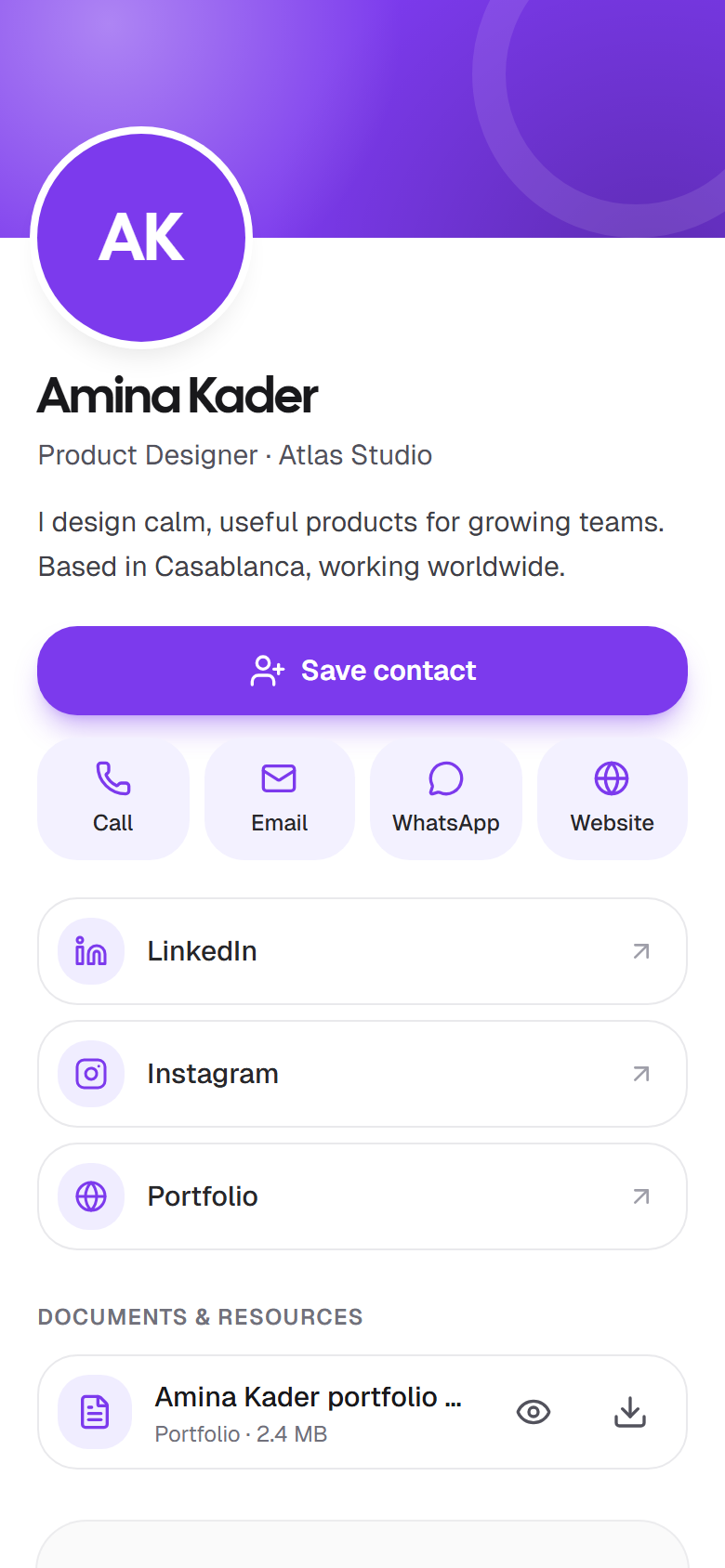
A Linq digital business card on a phone: Amina Kader, Product Designer at Atlas Studio, with a Save contact button, call, email, WhatsApp and website buttons, and LinkedIn and Instagram links

What a digital business card is

A digital business card does the job of a paper card without the paper: it tells someone who you are and how to reach you. It lives at a web address of its own, so you can send it as a link in a message or an email, or show a QR code that opens it when someone points their camera at it.

Because it's a web page, it does things paper can't. The person you meet can tap to call you, email you, open your website or follow you on LinkedIn. They can save your details to their phone's contacts in one step. And if you change jobs or numbers, you edit the card once and every copy you've ever shared shows the new version.

With Linq, the card also works the other way round: after saving your contact, the visitor is asked to share theirs, so the people you meet end up in one place, with a note on where you met them.

What people see when they open your card

When someone scans your QR code or opens your link, this is what they get, from top to bottom:

  1. Your photo, name, title and company in your card color, then a short bio.
  2. Save contact, which gives them your contact file (a vCard) to add to their phone.
  3. Call, Email, WhatsApp and Website buttons, for whichever details you filled in.
  4. Your social links, each with its icon.
  5. Documents you've made public, such as a CV, a brochure or a portfolio, to view or download.
  6. Stay in touch, a short form to send you their name and an email or phone number.

At the bottom they can switch the card between English, French and Arabic. Nothing they do needs an app or an account. The full tour is in What people see when they open your card.
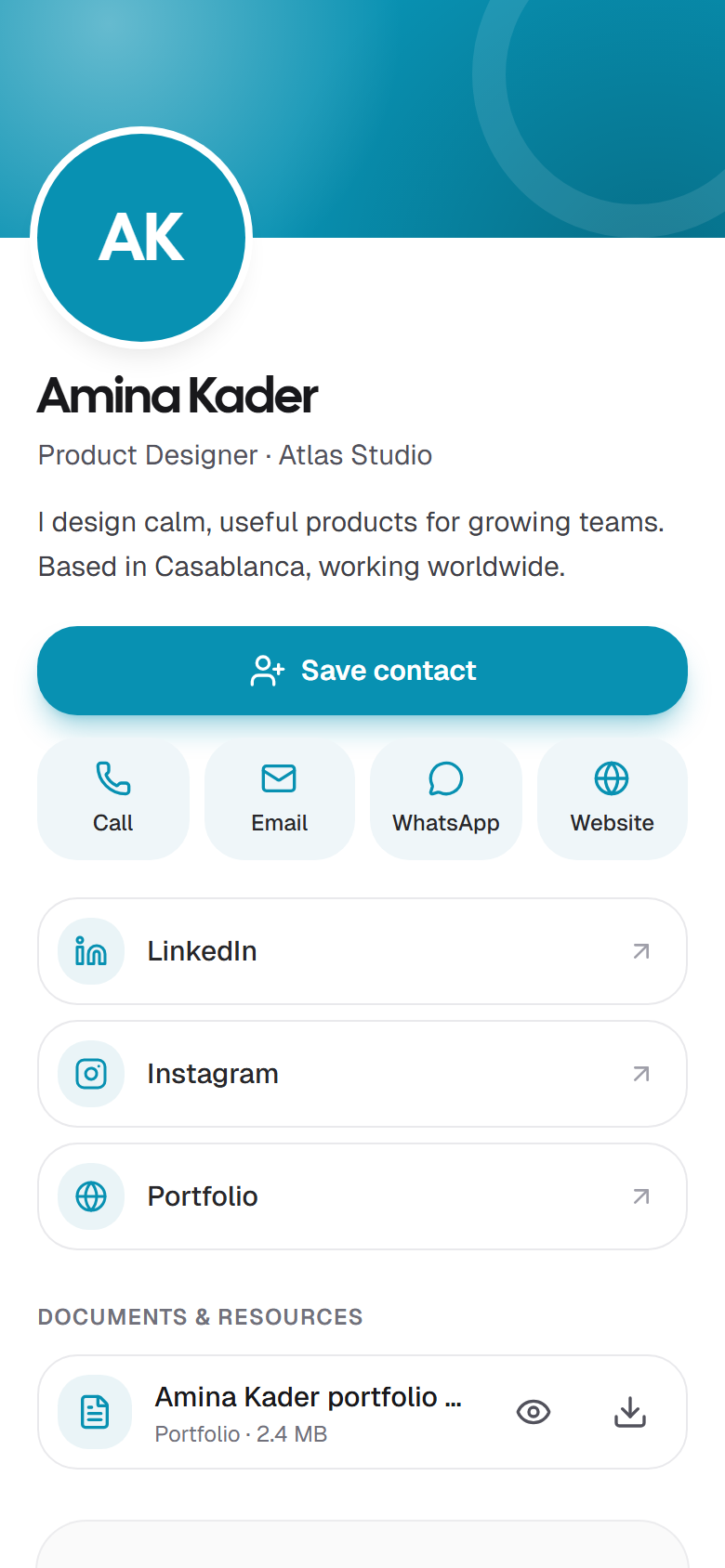
A Linq card in a teal color: the card color is used for the header, the Save contact button and the icons

How to make a digital business card

With Linq it takes about two minutes and no design skills:

  1. Create a free account with Google, GitHub or your email address.
  2. Add your name, photo, title, company and a short bio. A live preview shows the card as you type.
  3. Add the ways to reach you: phone, WhatsApp, email, website and your social profiles.
  4. Pick a card color. 8 presets are free; your own brand color comes with Pro.
  5. Publish. Your card gets its link and QR code straight away, ready to share.

Step by step, with screenshots: How to make a digital business card for free, or the shorter quick start.

A few choices make a card more likely to be saved: a real photo, a title people understand, and only the contact details you'll actually answer. We wrote them up in How to make a digital business card people actually save.

How to share a digital business card

Your card has one link and one QR code, and they never change. Put them wherever you meet people:

  • In person: show the QR code on your phone, or from Google Wallet on Android, and let them scan it.
  • In messages: send the link on WhatsApp, iMessage, LinkedIn or by email. It opens with a preview of your card.
  • In your email signature: the Share kit turns your card into a signature for Gmail, Outlook or Apple Mail.
  • On video calls: a call background with your QR code in the corner.
  • On your lock screen: a wallpaper with your QR code, so your card is one tap away even when your phone is locked.
  • In print and on slides: download the QR code as a PNG or SVG for badges, flyers and the last slide of a talk.

Each of these carries its own source, so Insights can tell you which one brings people in. More in Share your card and the Share kit.

After the share: get their details back

A paper card is a one-way thing: you hand it over and hope. A Linq card asks for something back. Right after a visitor saves your contact, a short panel asks whether they'd like to share their details with you. Name, email or phone, company, job title and a note, in a few seconds, and only if they want to.

What they send lands in your Contacts, next to the people you added by scanning their card or typing their details. You note where you met, add a tag, and set a follow-up reminder. That's the part a card is really for.

How it works on your side: Contacts and Scan and add contacts.
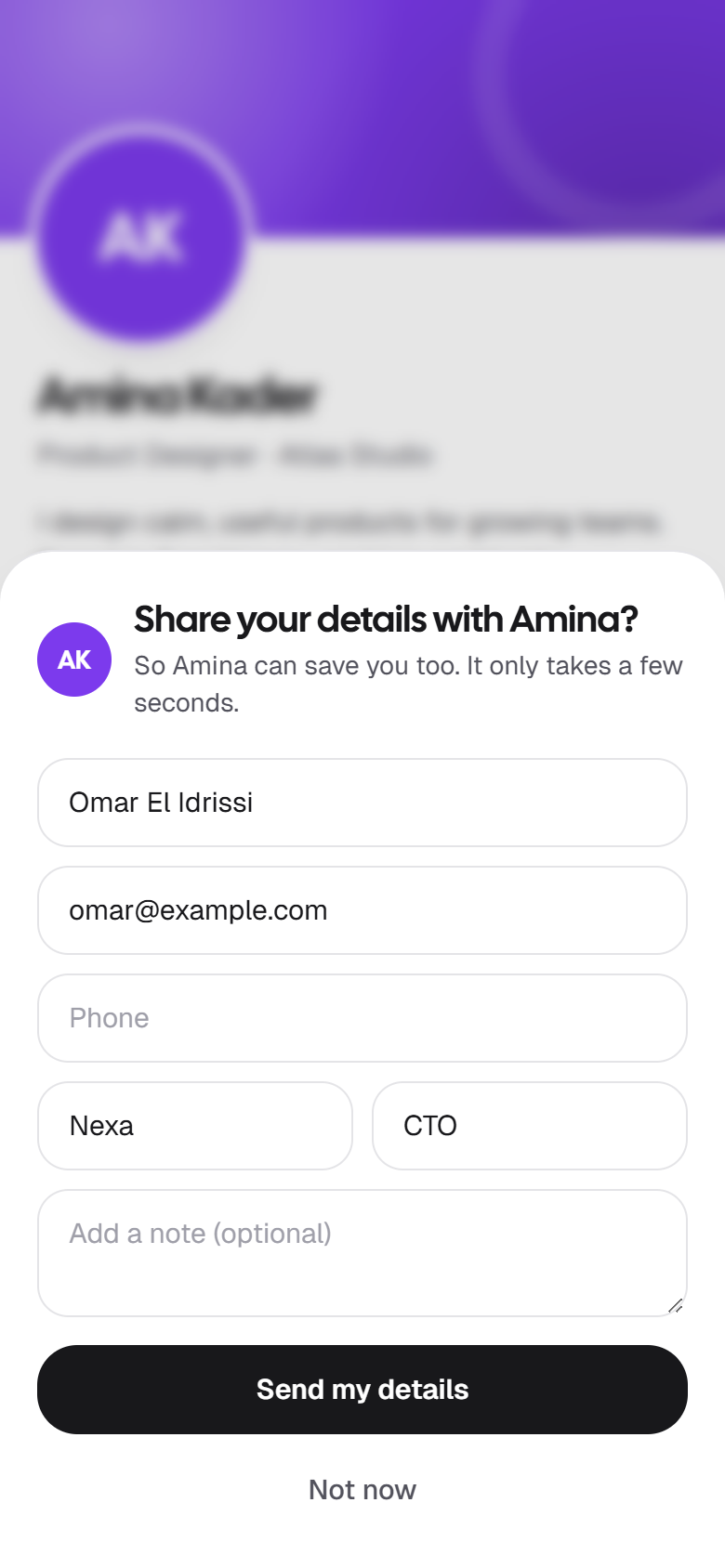
After saving Amina's contact, a panel asks “Share your details with Amina?” with name, email, phone, company, job title and note fields, a Send my details button and Not now

Digital or paper?

Paper still has a place: it's a physical gesture, and it works with no phone at all. But it runs out, it goes out of date the day your details change, and it tells you nothing about who kept it. A digital card is free to make, always current, and tells you who opened it and who got in touch. Many people carry both and put the QR code on the paper one. The trade-offs, honestly: Digital vs. paper business cards.

What a digital business card costs

With Linq, the card is free for as long as you like: one card with its link and QR code, Save contact, the Stay in touch form, Google Wallet, the email signature and video call background, and the last 7 days of insights. No payment details needed.

Pro is $5.99 a month and adds up to 10 cards, a custom link, your own brand color, 90 days of insights with sources, contact export, and a team of three. Business is $19.99 a month for a team of 10 and a public page for your business. Everything is on the pricing page, and you can cancel anytime.

Questions, answered

More in the documentation, or get in touch.

What is a digital business card?

A web page with your name, photo, role and contact details, which you share with a link or a QR code instead of handing over paper. People open it in their browser, save your contact in one tap, and can call, email or message you from it.

How is it different from a paper business card?

It never runs out, it can't be lost in a drawer, and you can change it after you've shared it: your link and QR code stay the same. It also works both ways, because people can send their own details back from your card, which a paper card can't do.

Do people need an app to open my card?

No. Your card is a web page. When someone scans your QR code with their phone's camera or taps your link, it opens in their browser on iPhone, Android or a computer. You don't need an app either: you manage your card from your browser.

How do people save my details to their phone?

Your card has a Save contact button. It gives them a standard contact file (a vCard) with your name, title, company, phone, email, WhatsApp number, website and bio. On a phone it opens the share sheet to add you to Contacts; on a computer it downloads the file.

Is a digital business card free?

With Linq, yes. The Free plan gives you one card with its own link and QR code, Save contact, the Stay in touch form, Google Wallet, an email signature, a video call background and the last 7 days of insights, for as long as you like. Pro is $5.99 a month if you want more cards, a custom link, teams or longer insights.

Can I change my card after I've shared it?

Yes. Edit it in the app and everyone with your link or QR code sees the new version straight away, including people you met months ago. Your link and QR code never change.

Does it work on iPhone and Android?

Yes, for you and for the people you meet, because everything runs in the browser. On Android you can also keep your card in Google Wallet with its QR code ready to scan. On iPhone, the Share kit gives you a lock screen wallpaper with your QR code; Apple Wallet passes aren't available.

Is it private?

Anyone with your link or QR code can open your card, so put on it what you'd put on a paper card. Leave a field empty and it isn't shown. You can hide the card at any time without losing anything, and visitors only send you their details if they choose to.

Can I have more than one digital business card?

Yes, with Pro: up to 10 cards, for example one per business or role, each with its own link and QR code. On Free you have one card.

Make your digital business card now.

Free for good. Your link and QR code are ready in about two minutes, with nothing to install.