Insights
Understand your Linq card views, new contacts and documents, where people found you, from QR codes to your email signature, and which events pay off.
Insights shows how your card is doing. On the Free plan you see the last 7 days. With Pro, use the selector in the top-right corner to switch between 7, 30 and 90 days.
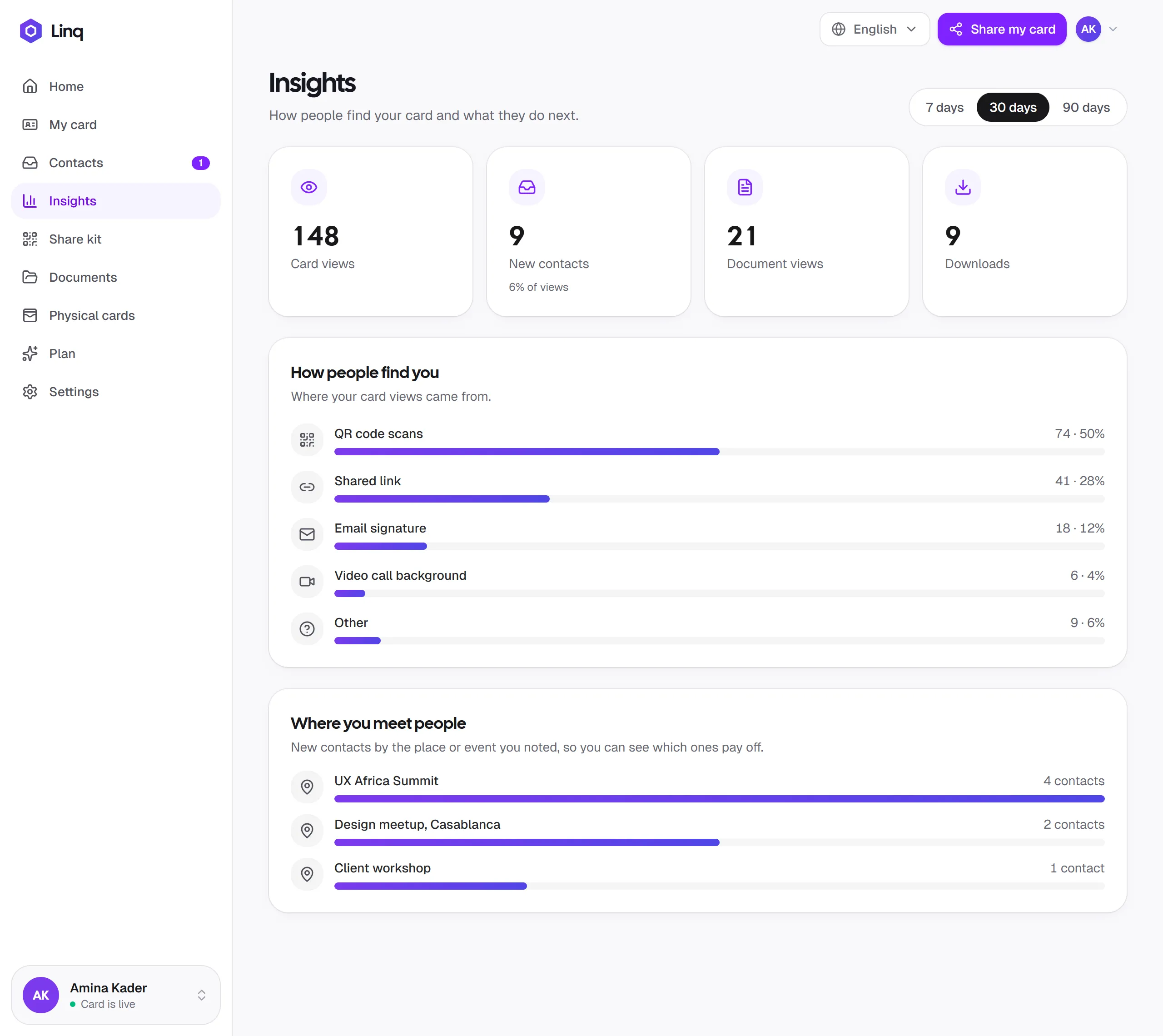
The numbers
| Metric | What it counts |
|---|---|
| Card views | Each time your card was opened while it was live. |
| New contacts | People who sent their details from your card, with the Stay in touch form or the two-way exchange. Underneath, you’ll see this as a percentage of views. Contacts you add or scan yourself aren’t counted. |
| Document views | Times someone opened one of your documents. |
| Downloads | Times someone downloaded one of your documents. |
Your Home screen also shows card views and new contacts for the last 30 days.
How people find you
This chart is part of Pro; on the Free plan an upgrade card takes its place. It splits your card views by where they came from:
- QR code scans: someone scanned your QR code (from your screen, a print or a slide).
- Shared link: someone opened a link you shared with Copy, Share or Share my card.
- NFC card taps: someone tapped your Linq NFC card.
- Email signature: someone clicked the link in your email signature.
- Video call background: someone scanned the QR code on your video call background.
- Other: someone opened your plain card address, for example one they typed or copied from a browser’s address bar.
NFC taps, Email signature and Video call background only appear once they’ve brought you at least one view.
Use it to see what works. If most views come from QR scans at events, keep your QR code handy; if your email signature does well, make sure it’s on every account you send from.
Where you meet people
Also part of Pro. When you note where you met someone, Insights adds up the contacts you made at each place or event in the period you picked, most first. It counts everyone with a place noted, including contacts you added or scanned yourself.
Use it after a conference or a season of events to see which ones were worth the trip.
Tips for better numbers
- Publish your card. Views are only counted while it’s live.
- Share with the in-app buttons rather than copying your browser’s address bar, so views are attributed correctly.
- A clear photo, role and bio make people more likely to get in touch. See Edit your card.
Last updated
Need more help?
Check the FAQ or troubleshooting, or contact us.