One-tap save, both ways
Visitors save your contact in one tap, then share their own details back in the same step. No app on either side.
Create a free digital business card in two minutes. Share it with a link or QR code, let people save your contact in one tap, and keep track of everyone you meet.
How it works
No design skills, no printing, no app for the people you meet.
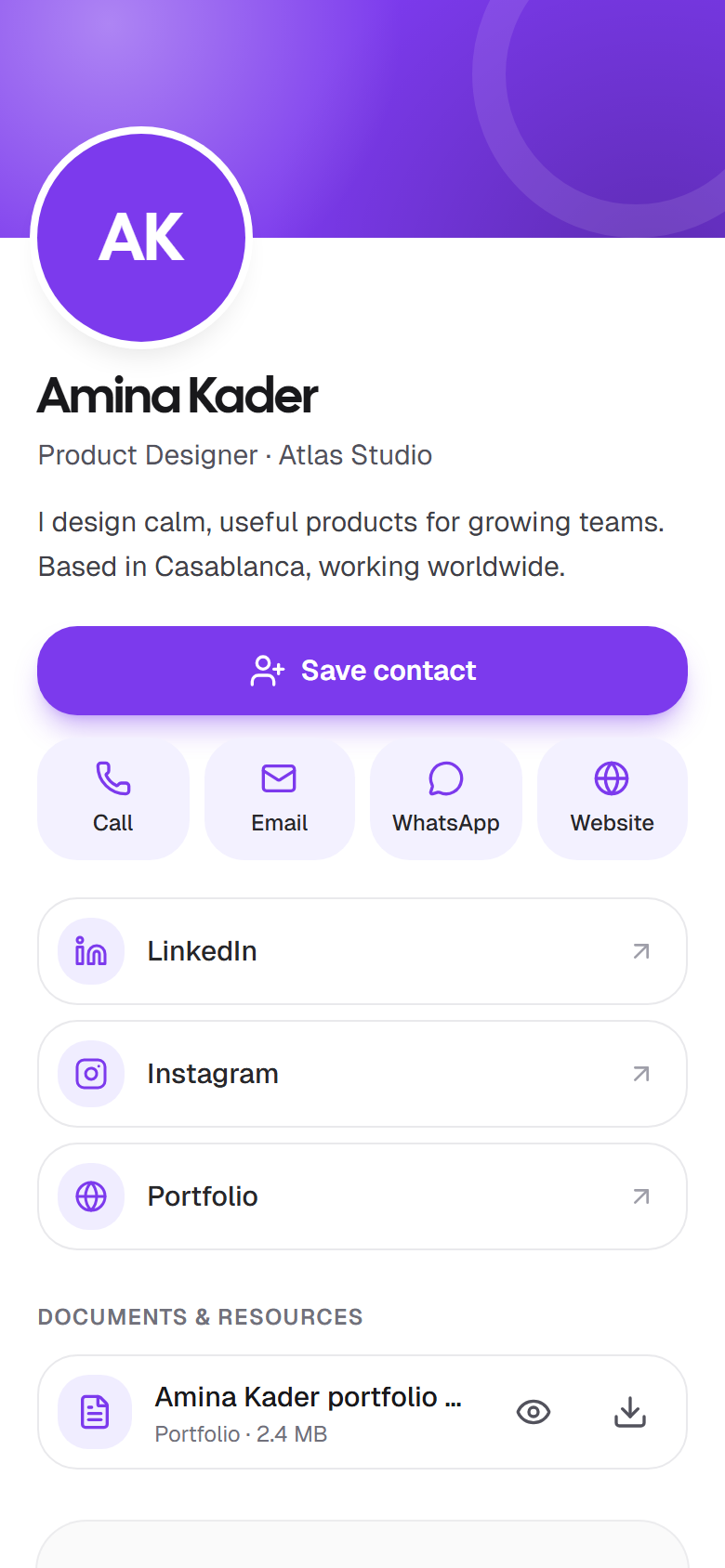
Add your photo, role, contact details and links, then pick a color. A live preview shows exactly what people will see.
Send your link, show your QR code, or add your card to your email signature and video calls. It opens in any browser, so nobody needs an app.
People share their details back from your card, or you scan theirs. Note where you met, tag them and get a reminder to follow up.
Features
Built for people who meet people: freelancers, founders, sales, recruiters and anyone at an event.
Visitors save your contact in one tap, then share their own details back in the same step. No app on either side.
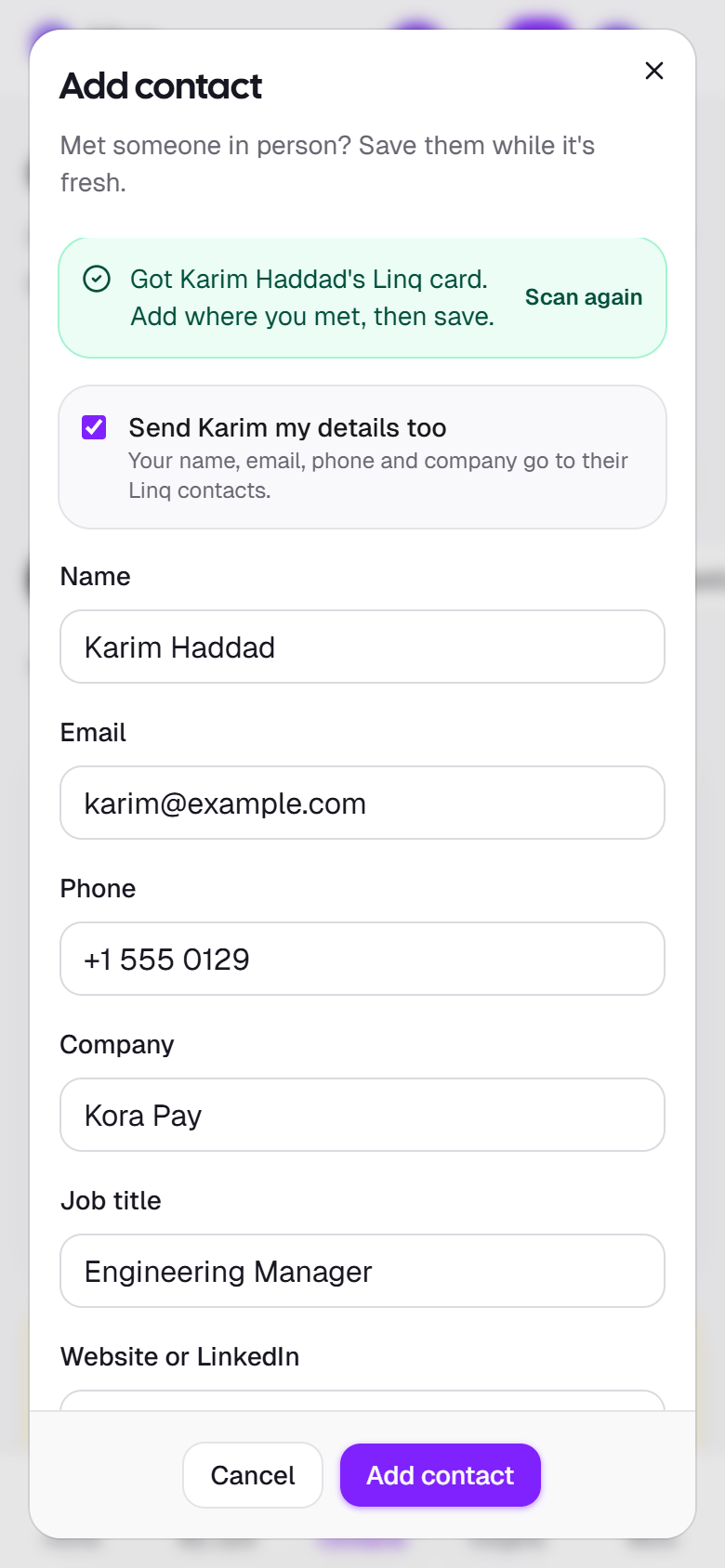
Met someone? Scan their Linq card, vCard or contact QR code, or type their details, while you're still talking.
Note where you met, add tags and track each contact as new, contacted or closed. Keep private notes with Pro.
Set a reminder for tomorrow or next week. Due follow-ups wait on your Home screen until you mark them done.
Turn your card into an email signature in three layouts, then paste it into Gmail, Outlook or Apple Mail.
Download a video call background and a lock screen wallpaper with your QR code, so people can save you anywhere.
See views and new contacts. With Pro, see which channels bring people, from QR scans to your signature, and which events pay off.
Every card gets its own link and a QR code in your card color or black, ready for print, slides and badges.
Profile photo, card color, a short bio and social links with recognizable icons for LinkedIn, Instagram, X and more.
Attach PDFs like your CV, portfolio or brochure. Choose which ones are public and which stay private.
New job or new number? Edit your card and everyone with your link sees the change. No reprints, no outdated cards.
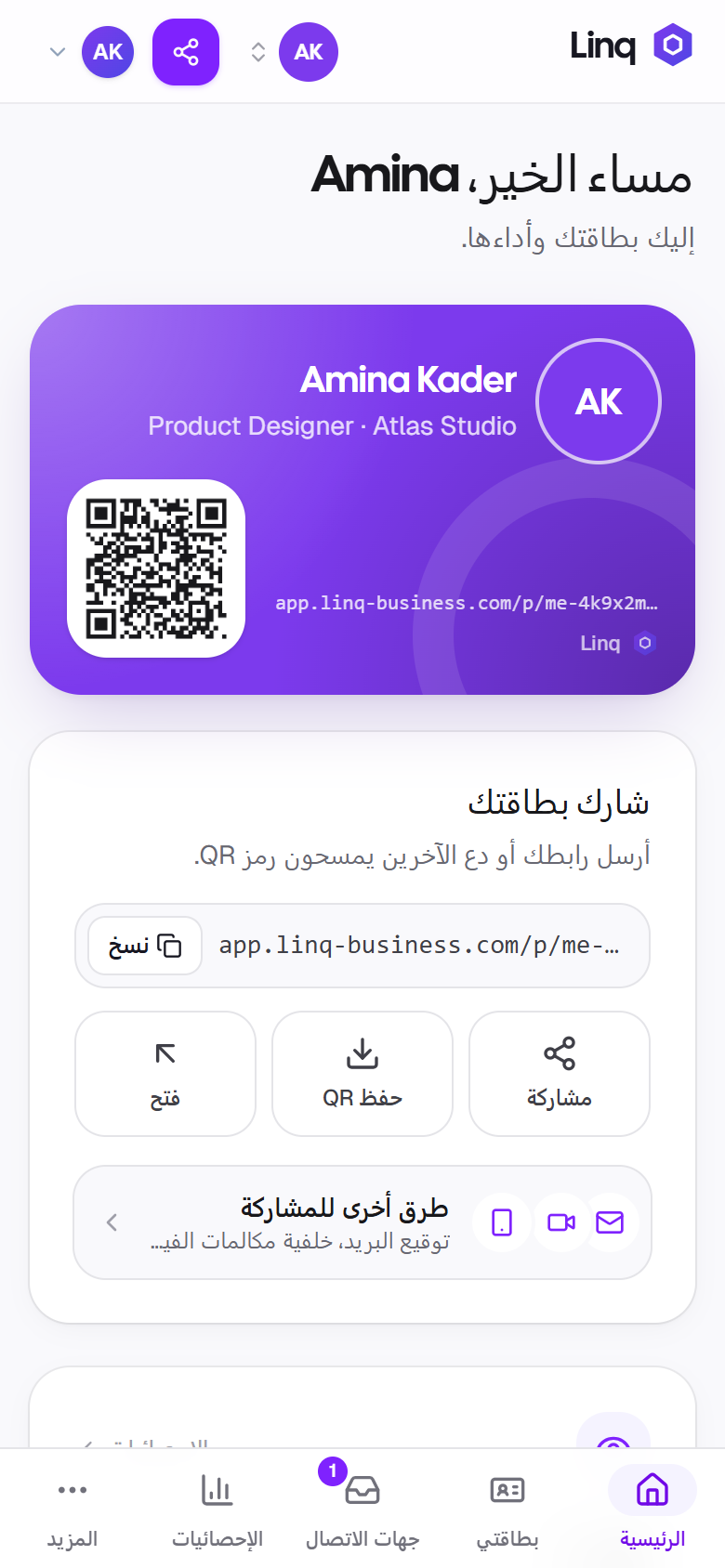
Use Linq in three languages, with full right-to-left support in Arabic. Visitors can switch language on your card too.
Inside the app
These are real screens from the app. What you see is what you get.
Create
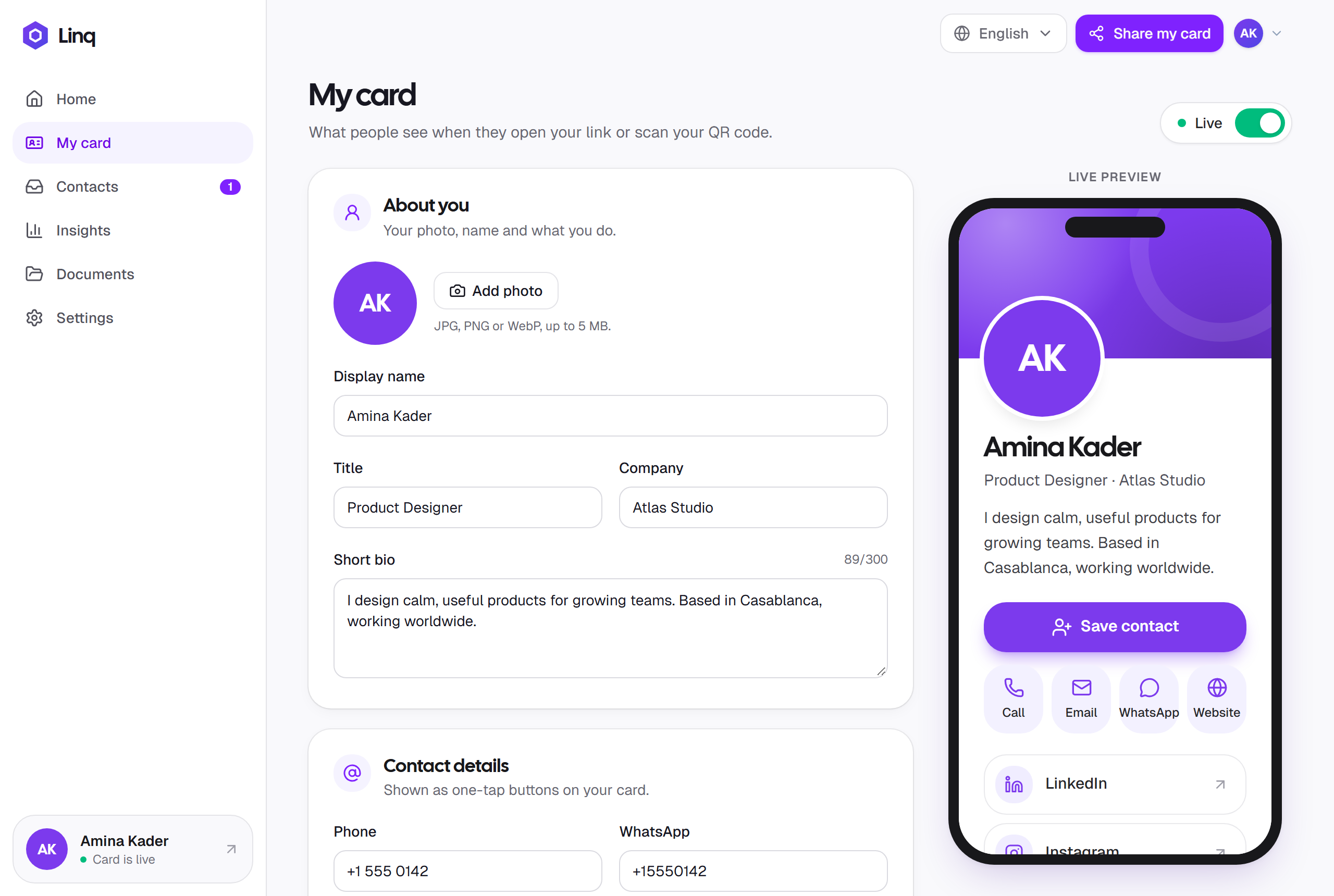
Fill in the essentials and watch your card update on a phone preview as you type. Add a photo, pick a card color, and add your social links with recognizable icons.
Share
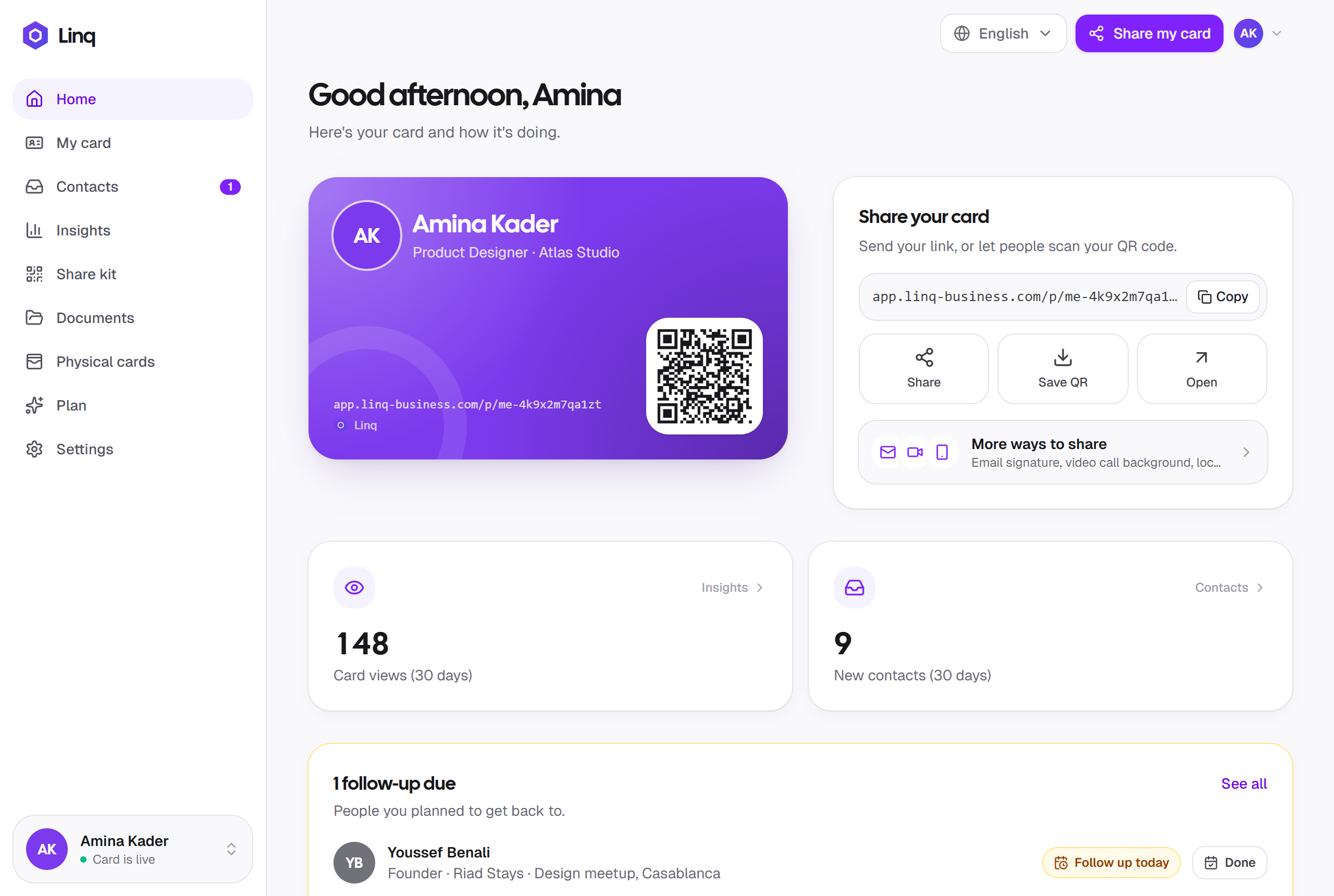
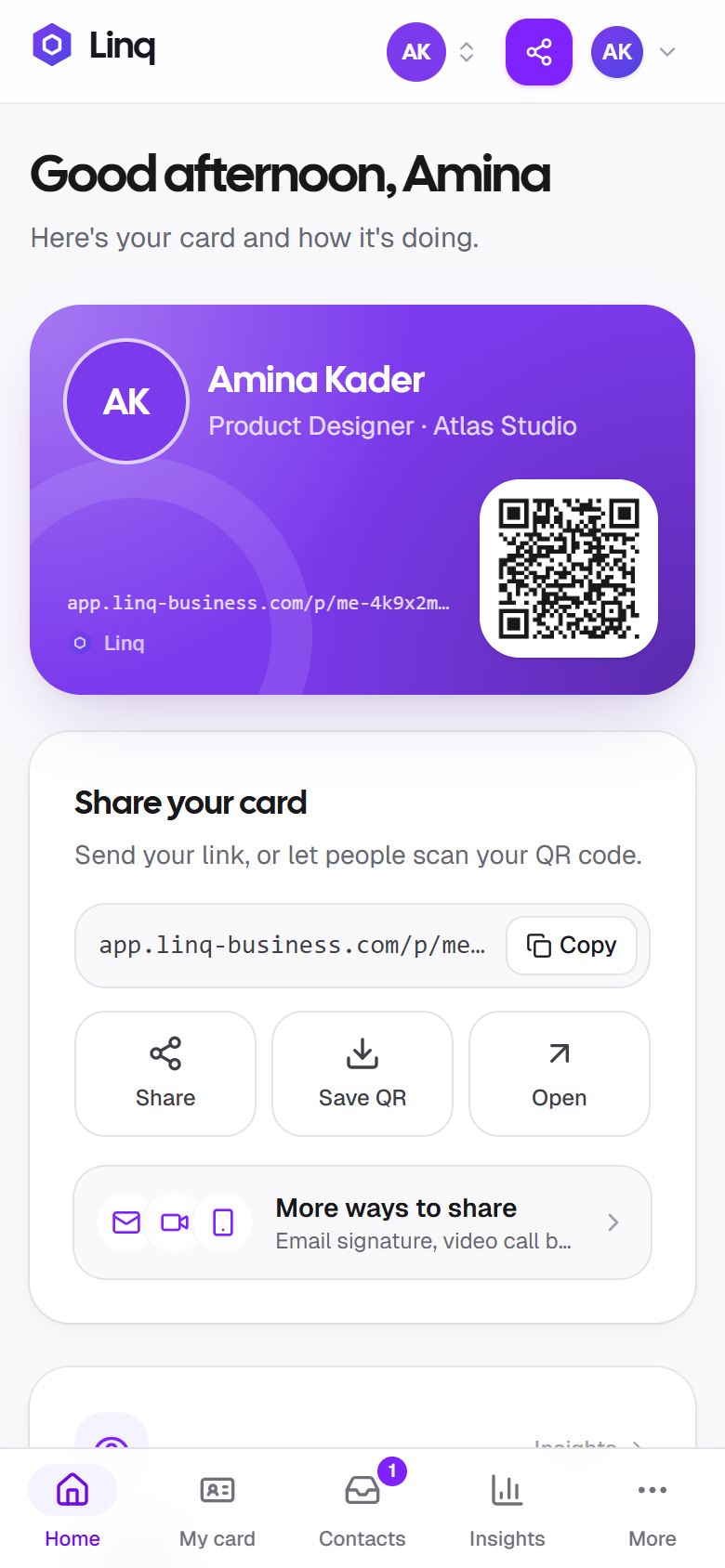
Your home screen shows your card with its QR code next to the share options: copy your link, open your phone's share sheet, or save a high-resolution QR code.
Share kit
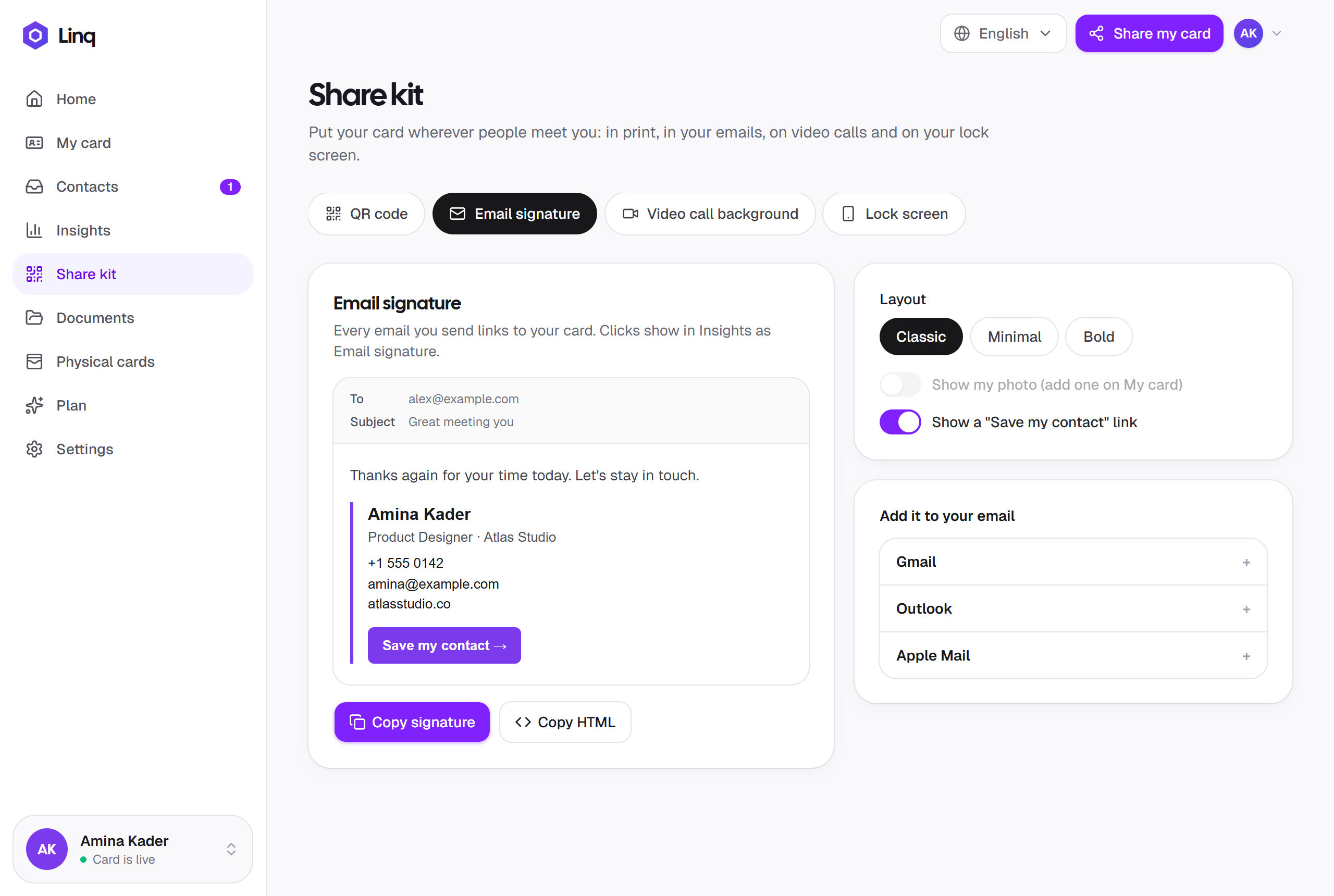
The Share kit turns your card into an email signature, a video call background and a lock screen wallpaper, each linking back to your card. Insights shows which one brings people in.
Follow up
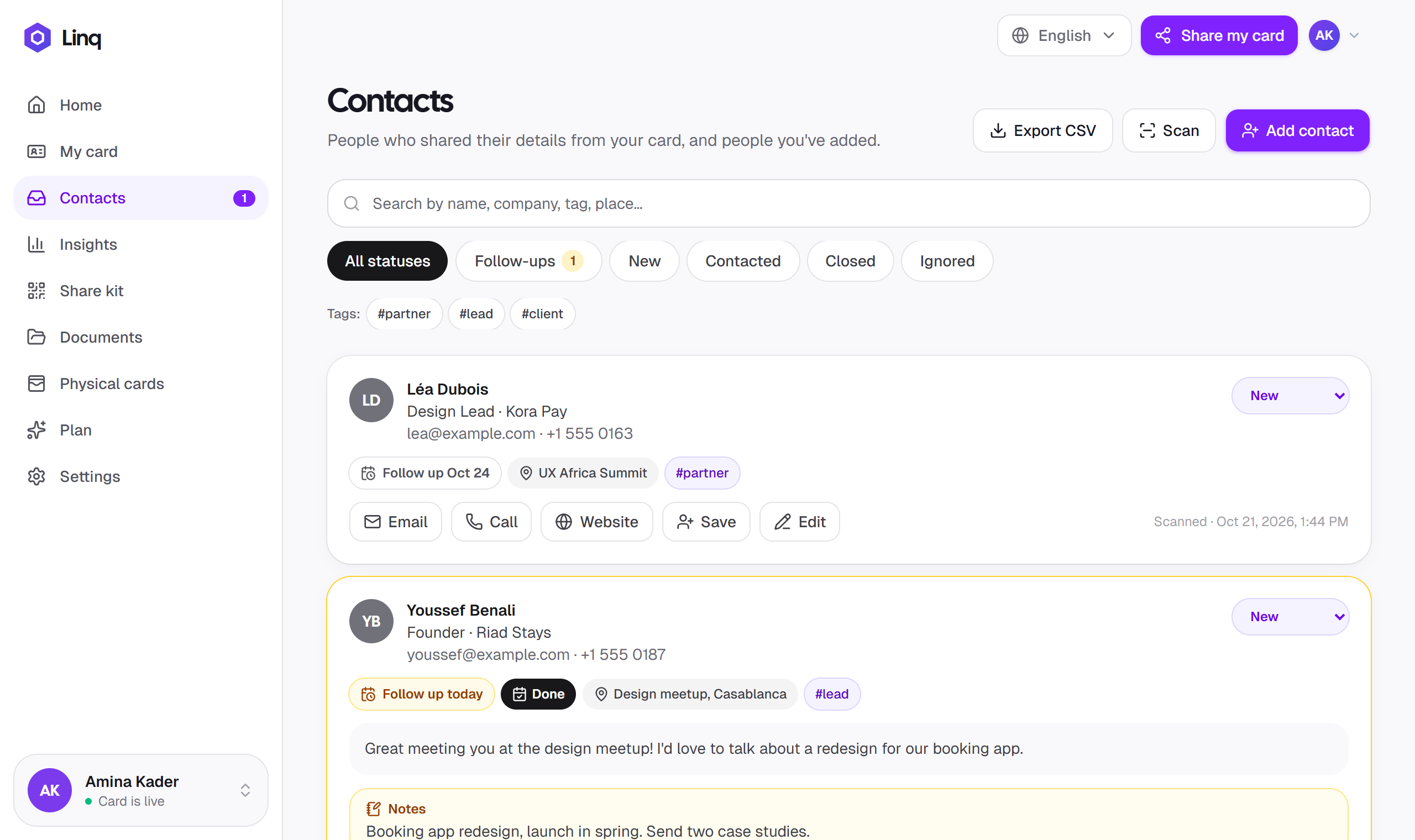
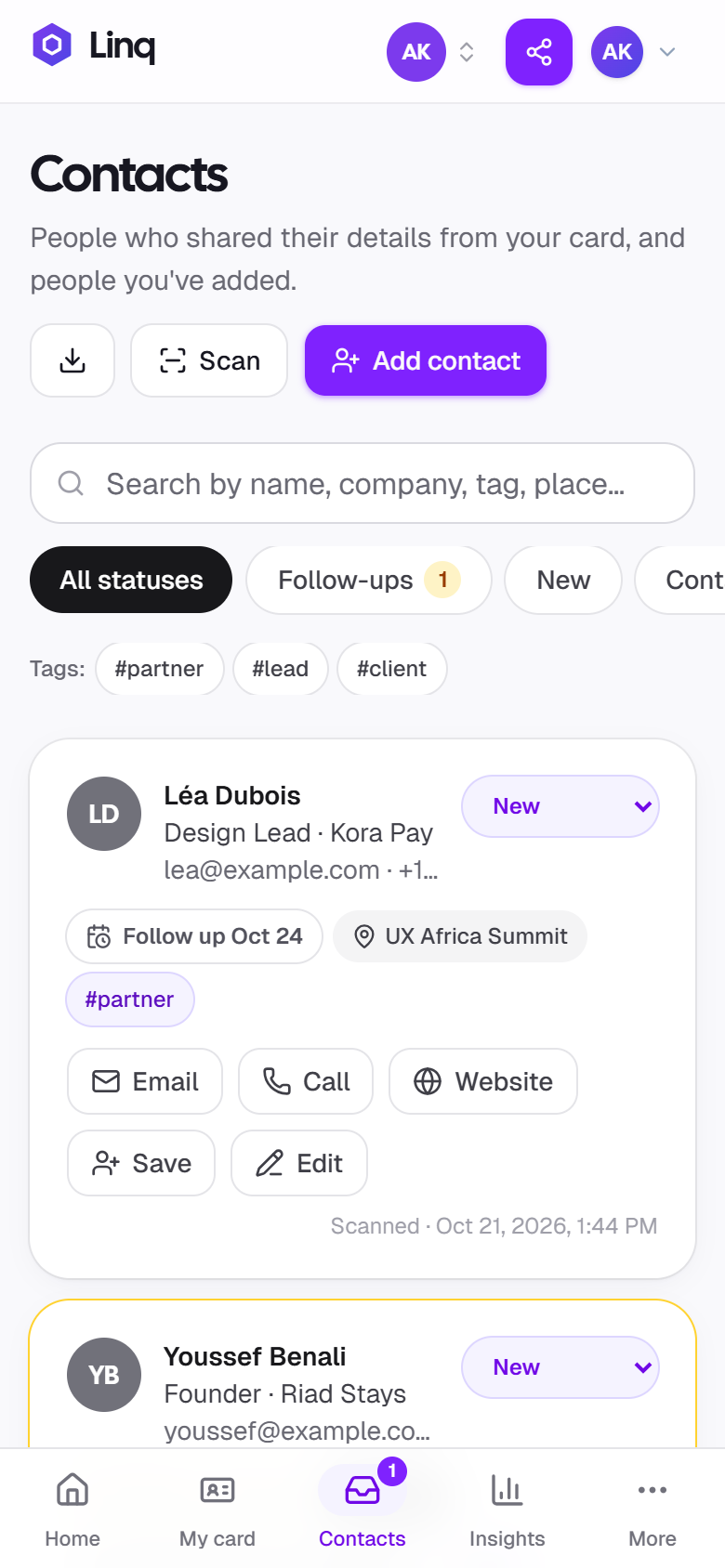
People who share their details from your card arrive in Contacts, next to the ones you scanned or added yourself. Note where you met, tag them, and let Linq remind you to follow up.
Learn
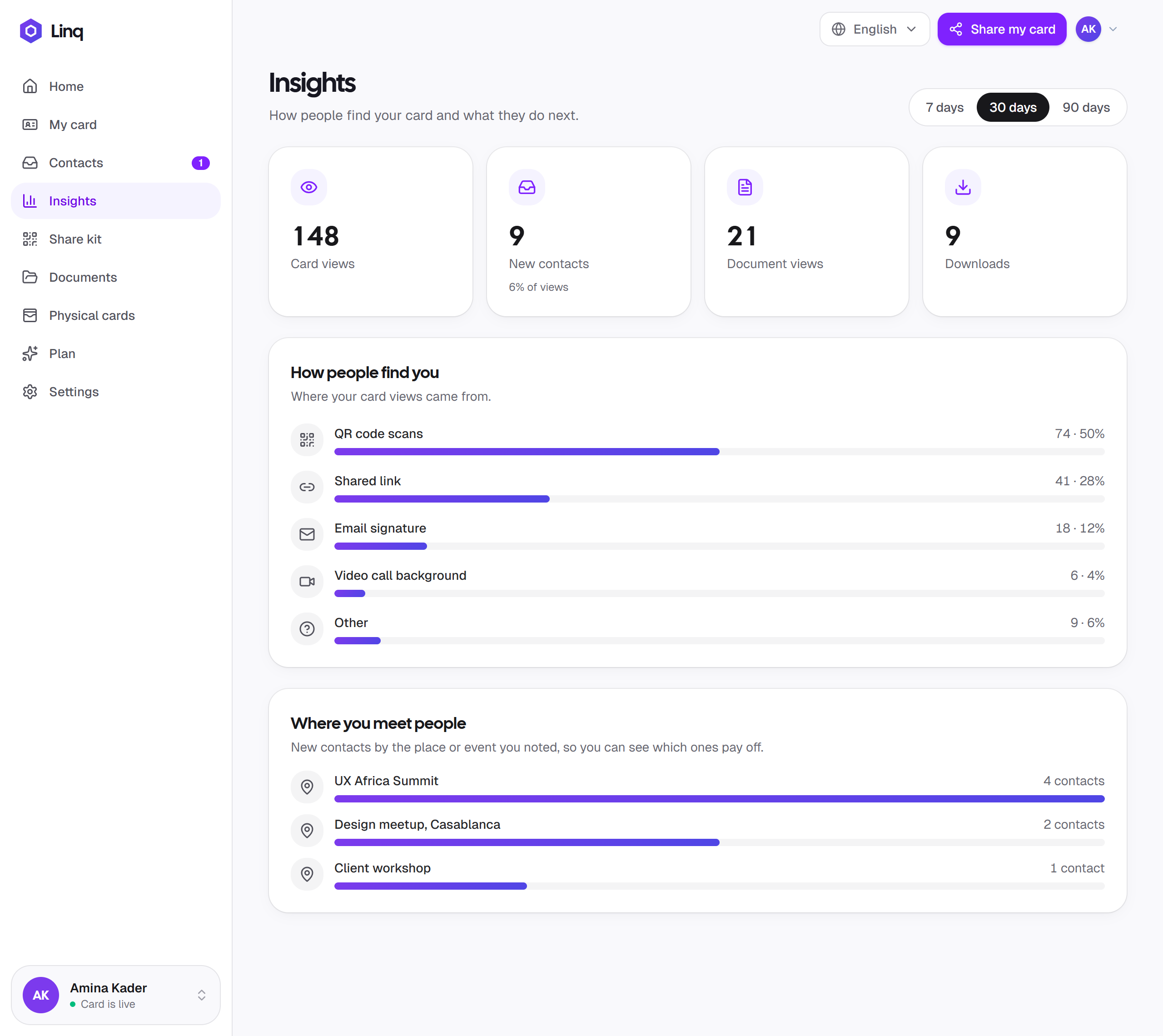
Insights shows how many people viewed your card and got in touch. With Pro, look back 30 or 90 days, see which channels bring people in, and which events are worth going back to.
Made for your phone
Linq is a digital business card app that runs in your phone's browser, with a simple tab bar for your card, contacts and insights, in English, French or Arabic. Nothing to download.
New · NFC cards
Design a Linq NFC card in the app. One tap on any phone opens your digital card, so the card in their pocket is never out of date.
Already have a Linq card? Register it with its serial number and PIN.
Teams come with Linq Pro: 3 seats included, then $2.99/month per extra member. Invite colleagues by email and give everyone an on-brand card.
Pricing
Your card is free for good. Upgrade from the app whenever you want teams and the extras.
Everything you need to share your card.
$0forever
Create your free cardFor professionals and teams who network to grow.
$5.99/ month
Get Linq ProBilled monthly through PayPal. Cancel anytime.
Everything in Free, plus:
FAQ
Can't find what you need? Browse the documentation or get in touch. Comparing apps? See how Linq compares to Blinq, HiHello, Popl and others.
A digital business card is a small web page with your name, photo, role and contact details. You share it with a link or a QR code, and people can call you, email you or save you to their contacts in one tap. Unlike a paper card, you can update it anytime and it never runs out.
Yes. On the Free plan you can create, publish and share your digital business card and collect contacts for as long as you like. Linq Pro, at $5.99 a month, adds more cards, teams, full insights, a custom card link, contact export and more.
You subscribe from Plan in the app and pay through PayPal, so Linq never sees your card details. Cancel anytime: you keep Pro until the end of the month you've paid for.
No. Linq is a digital business card app that runs in your browser: sign up at app.linq-business.com on your phone or computer and manage your card from there, with nothing to install from the App Store or Google Play.
No. Your card is a web page. When someone scans your QR code with their phone's camera or taps your link, it opens in their browser, on iPhone, Android or a computer.
Sign up for free, add your name, photo, title and contact details, pick a card color, and publish. Your card gets its own link and QR code straight away, ready to share. It takes about two minutes.
No. Linq works entirely with your link and QR code. You can show the QR code on your phone, print it, or add it to your slides and email signature. If you'd like something to hand over, an NFC card is optional.
Yes, soon. Design your NFC card in the app, choosing the style and what goes on each side, then join the waitlist at checkout. We're opening orders country by country and will email you when you can order. Already have a Linq card? Register it under Physical cards with its serial number and PIN.
Your card has a Save contact button. It gives them a standard contact file (vCard) with your name, role, phone, email and website, which they can add to Contacts on iPhone or Android.
Yes. Your link and QR code never change, so edits show up instantly for everyone, including people you shared with months ago.
Yes. Switch off “Live” in the editor and your link stops showing your details until you turn it back on. Your contacts and settings are kept.
They appear in Contacts with their name, email or phone, company, job title and any message. You can email, call or save them, add where you met and tags, set a follow-up reminder, and mark them as contacted or closed.
Yes, on every plan. Scan their QR code (another Linq card, a vCard or a contact code from another app) or type their details. If they use Linq too, you can send them your details in the same step.
Yes. The Share kit makes an email signature from your card for Gmail, Outlook or Apple Mail, a video call background and a lock screen wallpaper with your QR code. It's free, and Insights shows which one brings people in.
Yes, with Linq Pro. The team owner subscribes, then invites colleagues by email, and each gets an on-brand team card. Pro includes 3 seats, and each extra member is $2.99 a month. Colleagues join with a free account.
Create your digital business card in two minutes. Free to get started, no app to install.