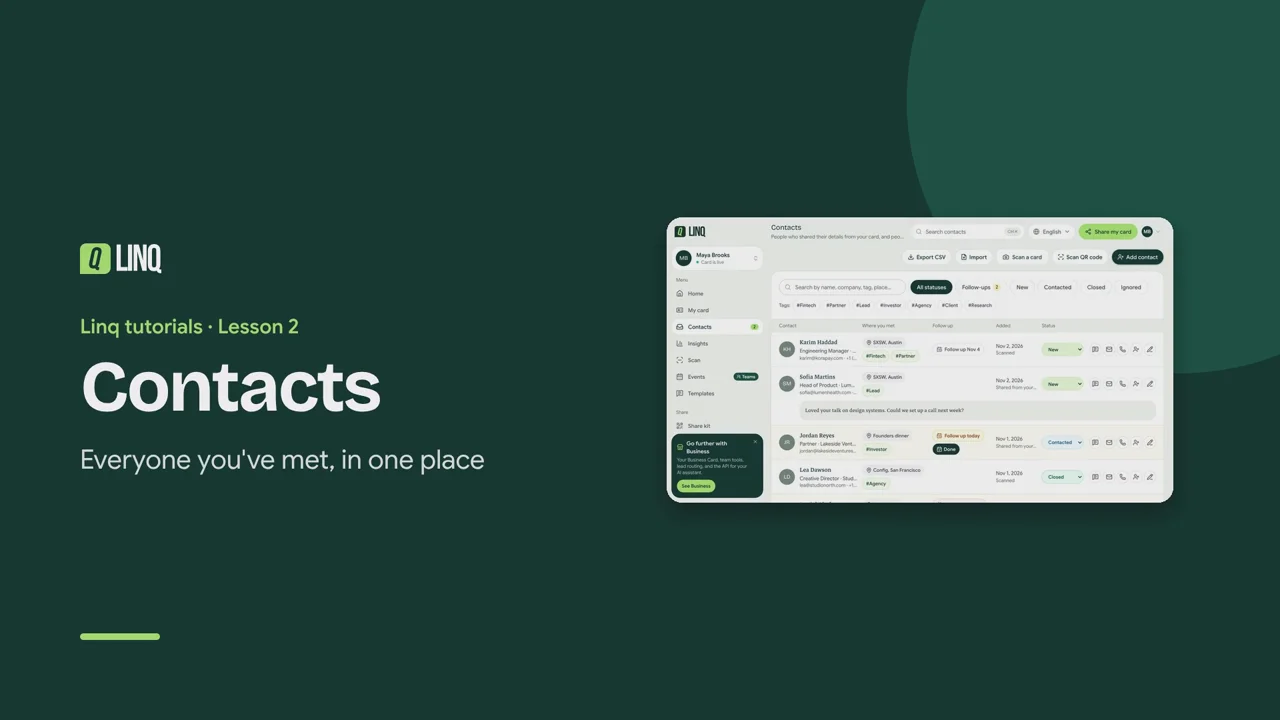
Tutorials Lesson 2 Contacts Everyone you've met, in one place. Video language English Français العربية 1:20 The steps Read the written guide 0:07 Contacts holds everyone: people who shared their details from your card, and people you added. 0:14 The badge counts people who reached out through your card and are still marked New. 0:19 Email, call, open their website, or save them to your phone, in one tap. 0:25 When someone writes you a message, you see it in full before you reply. 0:30 Select Edit to add context only you can see: where you met, tags and notes. 0:36 Set a follow-up: Tomorrow, In 3 days, Next week, or a date you pick. 0:42 Due reminders show on the contact and on Home. Select Done once you've followed up. 0:48 Track where you are with each person: New, Contacted, Closed or Ignored. 0:54 Search by name, company, place or tag, or select a tag to see everyone with it. 1:00 Met someone who didn't use your card? Scan their card or QR code, or add them yourself. 1:07 With Pro, Export CSV downloads all your contacts for a spreadsheet or your CRM. Contacts · Toutes vos rencontres au même endroit. 0:05 Contacts réunit tout le monde : ceux qui vous ont laissé leurs coordonnées via votre carte, et ceux que vous avez ajoutés. 0:14 La pastille compte les personnes qui vous ont écrit via votre carte et sont encore en Nouveau. 0:19 Écrivez, appelez, ouvrez leur site ou enregistrez-les dans votre téléphone, en un geste. 0:25 Quand quelqu'un vous écrit un message, vous le lisez en entier avant de répondre. 0:31 Sélectionnez Modifier pour ajouter du contexte visible par vous seul : lieu de rencontre, tags et notes. 0:39 Programmez une relance : Demain, Dans 3 jours, La semaine prochaine ou une date au choix. 0:45 Les relances dues s'affichent sur le contact et sur l'accueil. Sélectionnez Fait une fois fait. 0:52 Suivez où vous en êtes avec chacun : Nouveau, Contacté, Clos ou Ignoré. 0:59 Recherchez par nom, entreprise, lieu ou tag, ou sélectionnez un tag pour voir tous ceux qui l'ont. 1:06 Vous avez rencontré quelqu'un sans votre carte ? Scannez sa carte ou son QR code, ou ajoutez-le vous-même. 1:13 Avec Pro, Exporter en CSV télécharge tous vos contacts pour un tableur ou votre CRM. جهات الاتصال · كل من قابلتهم في مكان واحد. 0:07 تضم جهات الاتصال الجميع: من شاركوا بياناتهم عبر بطاقتك، ومن أضفتهم بنفسك. 0:16 تعرض الشارة عدد من تواصلوا عبر بطاقتك وما زالوا بحالة جديد. 0:22 راسل أو اتصل أو افتح موقعهم أو احفظهم في هاتفك بلمسة واحدة. 0:28 عندما يكتب لك أحدهم رسالة، تراها كاملة قبل أن ترد. 0:35 اختر تعديل لإضافة سياق لا يراه سواك: مكان اللقاء والوسوم والملاحظات. 0:44 حدّد موعد متابعة: غدًا أو بعد 3 أيام أو الأسبوع القادم أو تاريخًا تختاره. 0:52 تظهر التذكيرات المستحقة على جهة الاتصال وفي الرئيسية. اختر تم بعد المتابعة. 1:00 تابع وضعك مع كل شخص: جديد أو تم التواصل أو مغلق أو متجاهل. 1:08 ابحث بالاسم أو الشركة أو المكان أو الوسم، أو اختر وسمًا لترى كل من يحمله. 1:15 قابلت شخصًا لم يستخدم بطاقتك؟ امسح بطاقته أو رمز QR الخاص به، أو أضفه بنفسك. 1:24 مع Pro، يُنزّل تصدير CSV كل جهات اتصالك لجدول بيانات أو لنظام CRM. Select a step to play the video from there. Previous · Lesson 1 Quick start Next · Lesson 3 Events Stuck on something? Check the FAQ or troubleshooting, or contact us. Open Linq