How to make a digital business card people actually save
Seven simple choices that make your digital business card clearer, more trustworthy and more likely to end up in people's contacts.
People decide in seconds whether your card is worth saving. These seven simple choices make yours clear, trustworthy and easy to act on. Starting from scratch? Follow our step-by-step guide on how to make a digital business card first.
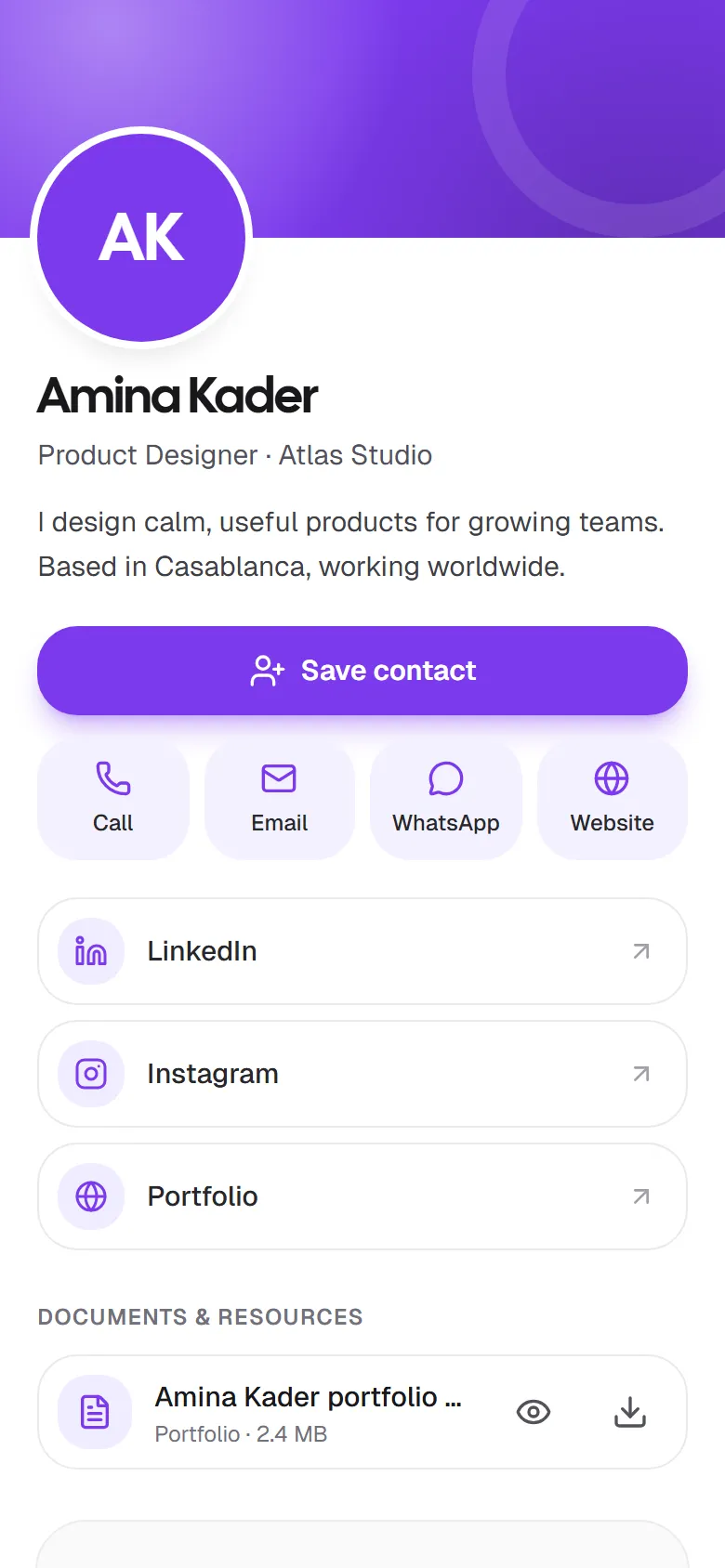
1. Use a real photo
A friendly, recent photo helps people remember who you are, especially after an event where they met dozens of people. Use good light, look at the camera, and keep your face centered: card photos are shown in a circle.
2. Say what you do in one line
Your title and company sit right under your name. Make them specific: Product Designer · Atlas Studio says more than Designer. If you’re independent, describe what you offer, such as Wedding Photographer or Freelance Accountant.
3. Write a short, human bio
One or two sentences are enough. What do you help people with, and where? For example: “I design calm, useful products for growing teams. Based in Casablanca, working worldwide.” Skip the buzzwords.
4. Offer the contact options you actually answer
Only add the channels you check. If you reply on WhatsApp but rarely pick up calls, add WhatsApp and leave the phone number off. Every button on your card should lead to a fast reply.
5. Link to proof of your work
A portfolio, a LinkedIn profile or a website lets people check you out before they get in touch. In Linq, you can also attach a PDF, such as your CV, portfolio or brochure, that visitors can view or download.
6. Pick a color that’s yours
Your card color shows in the header and buttons. Using your brand color makes your card instantly recognizable and consistent with the rest of your materials.
7. Keep it up to date
The best part of a digital card is that it’s never out of date, as long as you update it. When something changes, edit your card. Your link and QR code stay the same, so everyone who already has them sees the new version.
Bonus: make following up easy
Your card’s Stay in touch form lets people send you their details and a message. Reply quickly, ideally within a day or two, while your conversation is still fresh. In Linq, new messages land in Contacts, where you can email, call or save people in one tap.
Ready to build yours? Create your free card and follow our guide to editing your card.