Introducing the new Linq: your business card, always in your pocket
Linq has been rebuilt for individuals: a card editor with live preview, photos and colors, a Contacts inbox, Insights, and a phone-first design.
Today we’re releasing a completely redesigned Linq. It’s built around one idea: your business card should work as hard as you do, without a printer, an app or a physical card.
Here’s what’s new.
Your card works from the first minute
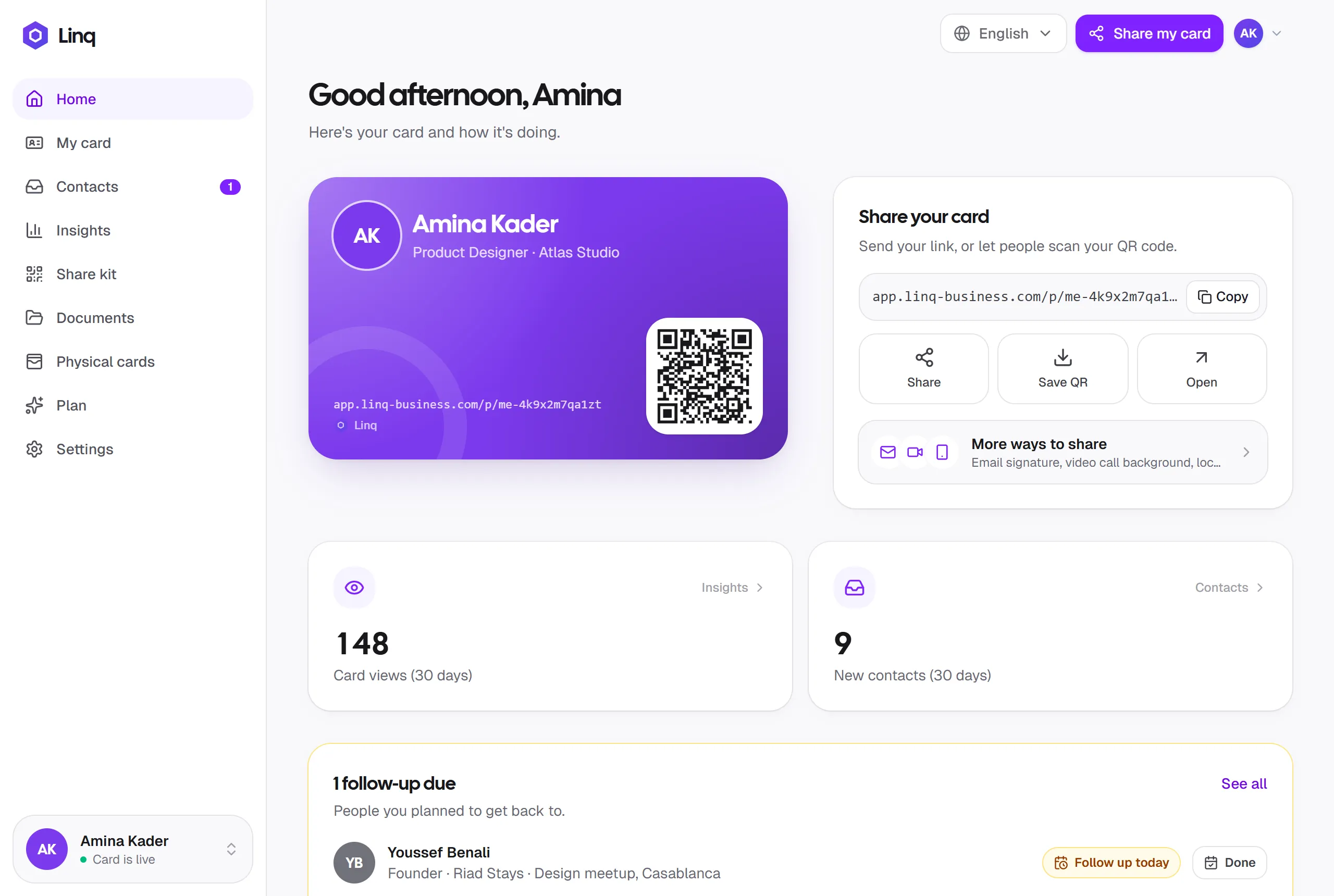
As soon as you sign up, your card exists. Add your name, publish, and you have a link and a QR code you can share straight away. A short checklist on your Home screen walks you through the rest: photo, role, contact details and links.
A card editor with a live preview
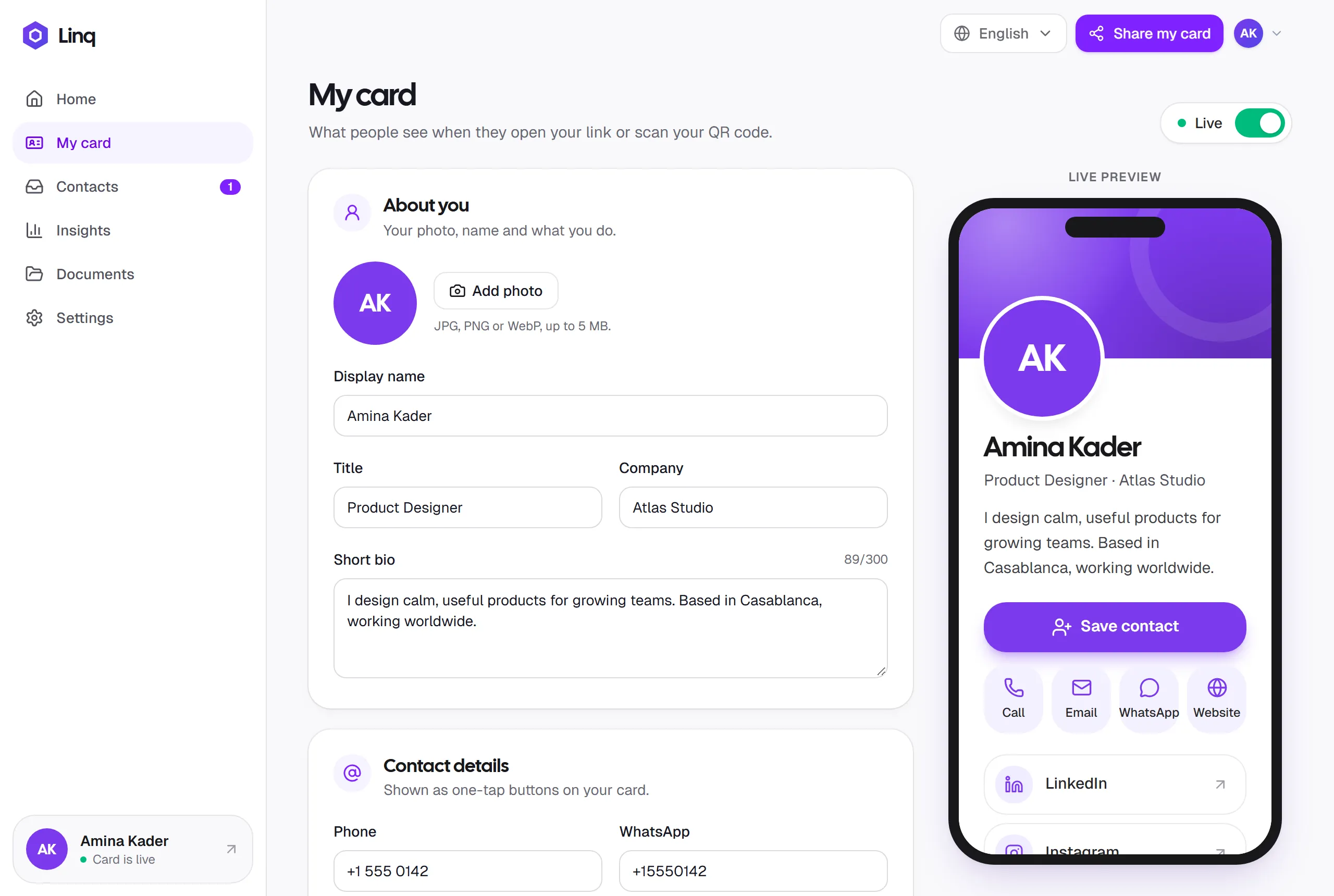
The new My card editor shows your card on a phone preview as you type. You can now:
- Add a profile photo (JPG, PNG or WebP).
- Pick a card color from eight presets, or your exact brand color.
- Add social links with real icons for LinkedIn, Instagram, X, Facebook, TikTok, YouTube and GitHub, plus any other link with your own label.
- Write a short bio that tells people what you do.
Your link and QR code never change, so every edit shows up instantly for everyone you’ve already shared with.
A better card for the people you meet
Your public card has been redesigned to be faster and clearer on a phone, with:
- a big Save contact button that adds you to their contacts,
- one-tap buttons to call, email, WhatsApp or visit your website,
- your documents, such as a CV or portfolio, ready to view or download,
- a friendlier Stay in touch form so they can send you their details.
Contacts: everyone who reached out, in one place
When someone sends you their details, they now arrive in Contacts with their message and phone number. Email, call or save them in one tap, and mark them new, contacted or closed as you follow up. A badge on the menu tells you when someone new is waiting.
Insights you can act on
Insights shows your card views, new contacts, and document views and downloads over 7, 30 or 90 days. The new How people find you chart tells you whether people came from your QR code or a shared link, so you know what’s working.
Designed for your phone, in three languages
Linq now has a phone-first layout with a bottom tab bar for Home, My card, Contacts and Insights. It’s available in English, Français and العربية, with a full right-to-left layout in Arabic.
Get started
If you already have an account, sign in. Your card is waiting, ready for a photo. If you’re new, create your free card. It takes about two minutes, and our quick start guide walks you through it.